The Settings page in the Expert Dashboard is where you manage your account and plan, how your agent is shared, your notifications, and your integrations. It has four tabs: Account, Agent, Email Templates and Connect. Settings reopens on the tab you used last.
Some switches turn on features that need a paid plan. If your plan doesn't include one, turning it on opens the Plan upgrade sheet instead. See Plans, Usage and Limits.
Account
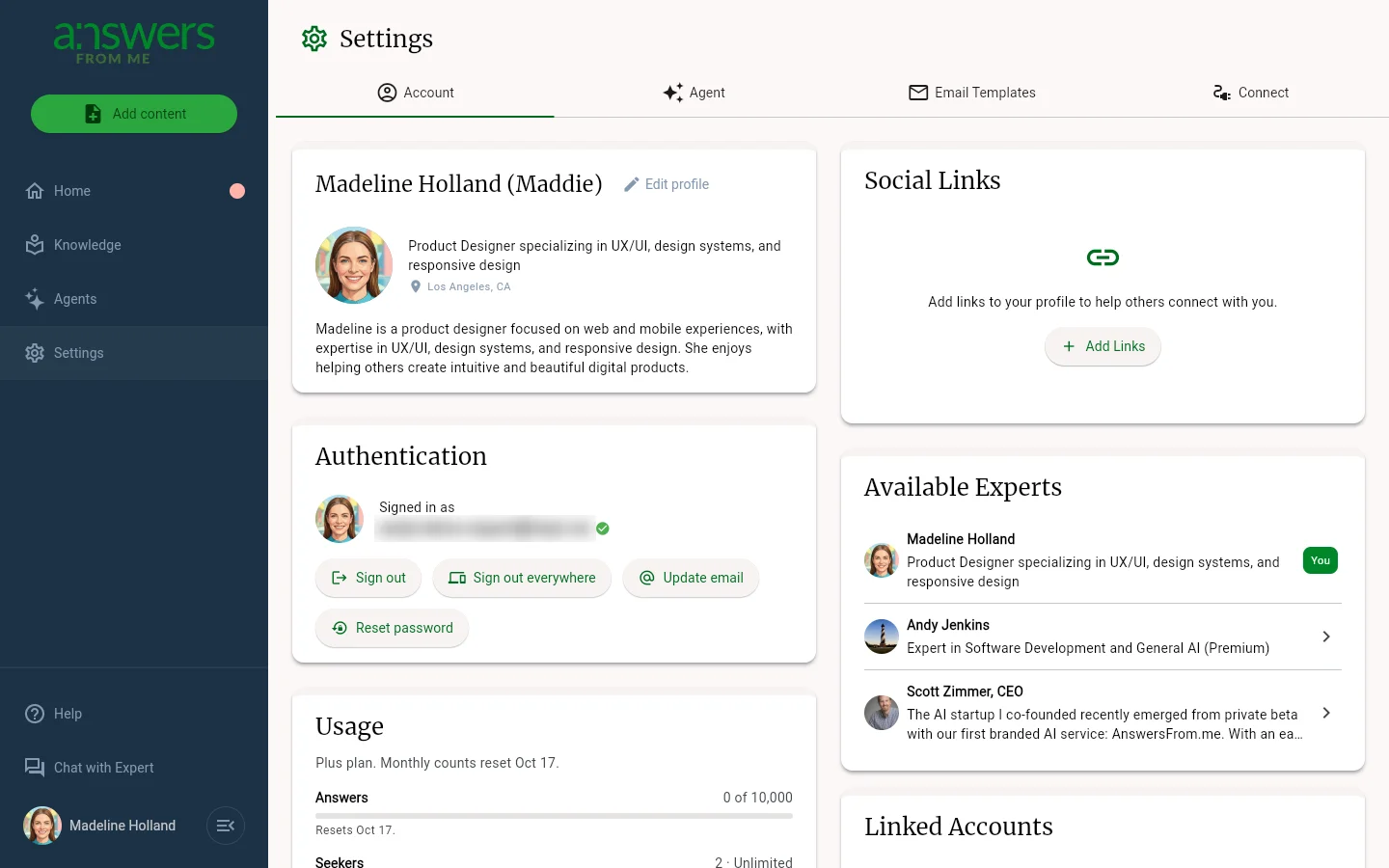
The Account tab covers you and your plan:
- Profile — your name, headline, photo and bio. Click Edit profile to change them
- Authentication — the email you sign in with, plus Sign out, Sign out everywhere, Update email and Reset password
- Usage — how much of each plan limit you've used this month or in total
- Subscription Plan — your current plan, and the other plans you can upgrade or downgrade to
- Social Links — links shown on your Expert Page
- Linked Accounts and Account Management, where you can connect Discord or permanently delete your data
Agent
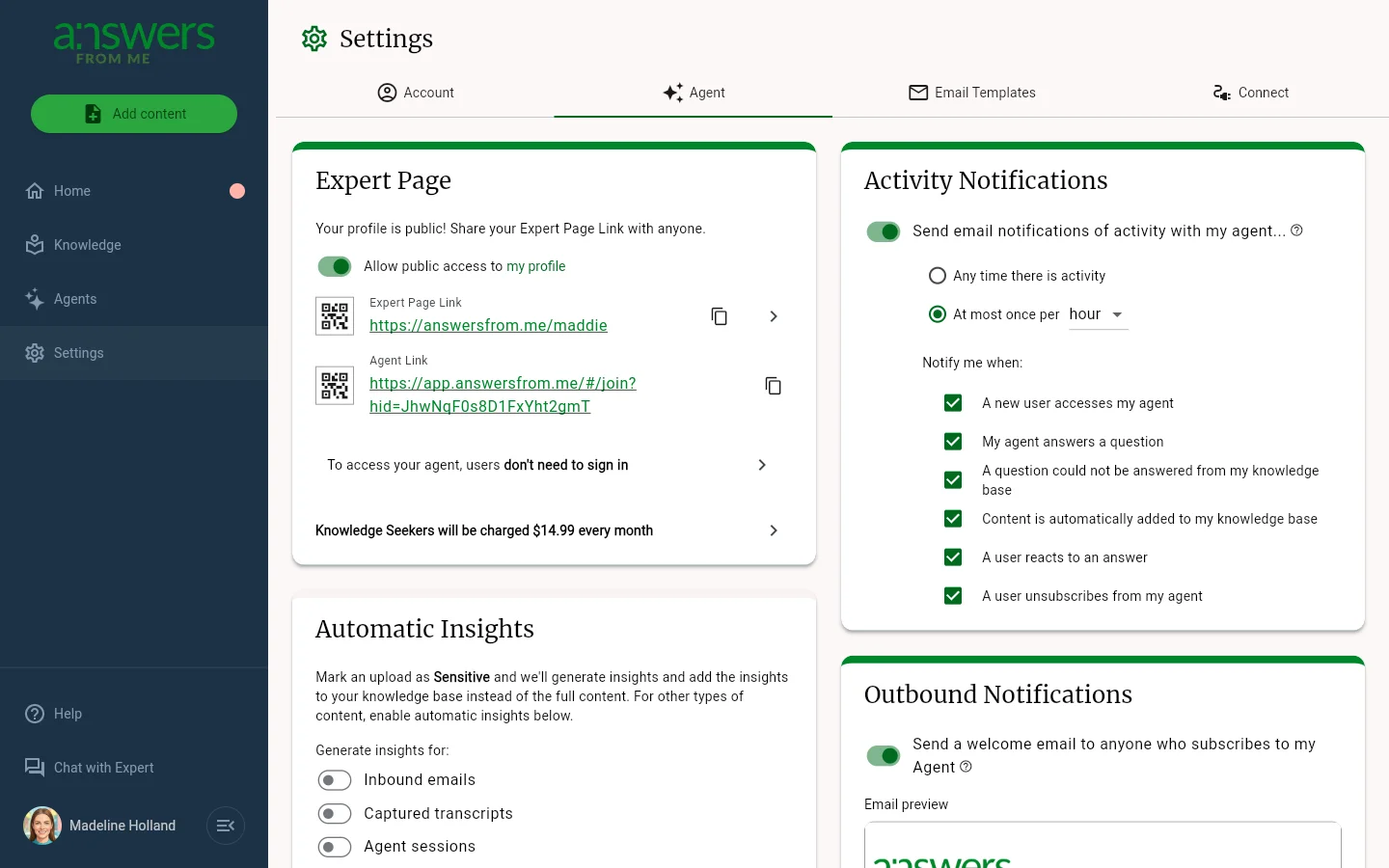
The Agent tab controls how people reach your agent and how you hear about it:
- Expert Page — toggle public access to your profile, and copy or download the QR code for your Expert Page Link and Agent Link. This card also shows whether people need to sign in before they can reach your agent, and what seekers are charged. Click the charge row to open Agent monetization (Pro plan). See Paid Agents and Monetizing Your Expertise
- Automatic Insights — generate short insights from your conversations and add them to your Knowledge Base, with separate toggles for inbound emails, captured transcripts, and agent sessions. See Insights
- Activity Notifications — email alerts for activity with your agent, such as new seekers, answered questions, and questions your knowledge base couldn't answer. Choose Any time there is activity, or at most once per hour, day or week. Activity alerts need the Basic plan or higher
- Outbound Notifications — send a welcome email to anyone who subscribes to your agent, with a preview of the email
Email Templates
The Email Templates tab lets you customize the emails sent to seekers when you invite them. Start from the Standard Invite or click Add template to write your own.
Connect
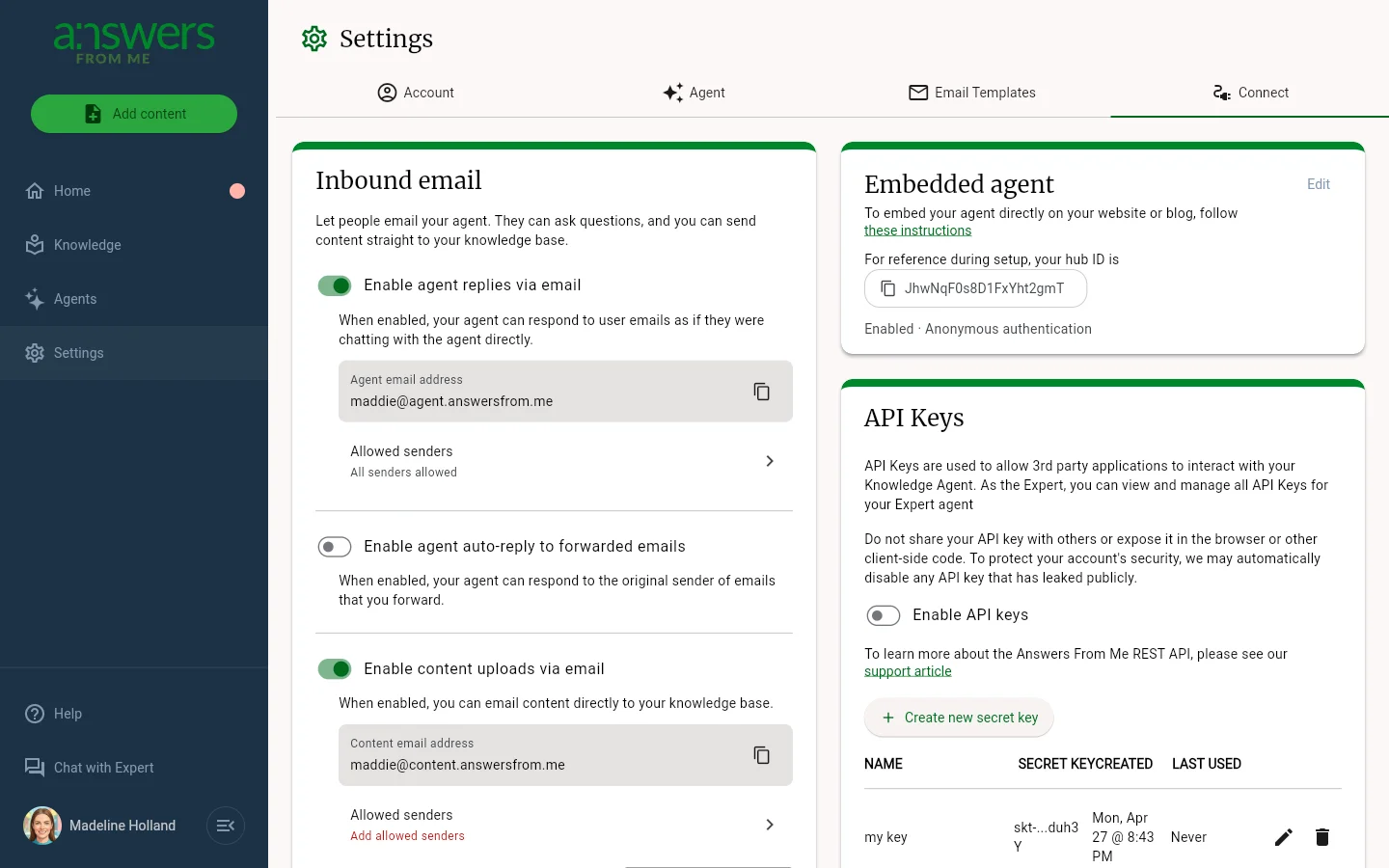
The Connect tab links your agent to email, websites and other apps:
- Inbound email — let people email questions to your agent, have your agent reply to emails you forward, and send content to your knowledge base by email. See Inbound Email Overview. Inbound email needs the Plus plan or higher
- Embedded agent — put your agent on your own website. See Embed your Answers From Me AI Agent
- API Keys — create secret keys for the API. Turn on Enable API keys first; API access needs the Basic plan or higher. See Open Responses API
- API Access — let other developers' API keys reach your agent
Was this article helpful?
That’s Great!
Thank you for your feedback
Sorry! We couldn't be helpful
Thank you for your feedback
Feedback sent
We appreciate your effort and will try to fix the article