Are you someone who lives in your email inbox? Do you often receive questions from your audience via email? If so, enabling inbound email support for your Answers From Me agent can help you manage and respond to these inquiries more efficiently.
Answers From Me provides inbound email support for experts, allowing your agent to automatically process and respond to emails sent by you or your audience. If email is one of the primary ways you share your expertise, enabling inbound email will help you "tame" your inbox and ensure timely responses, especially to frequently asked questions.
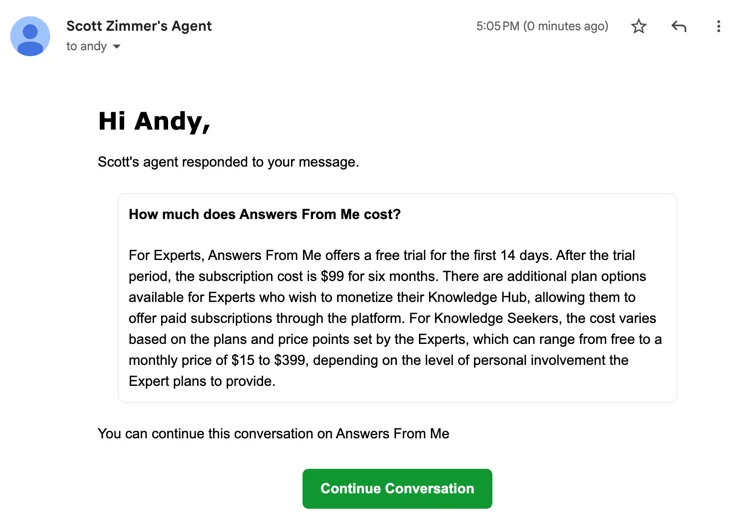
How It Works
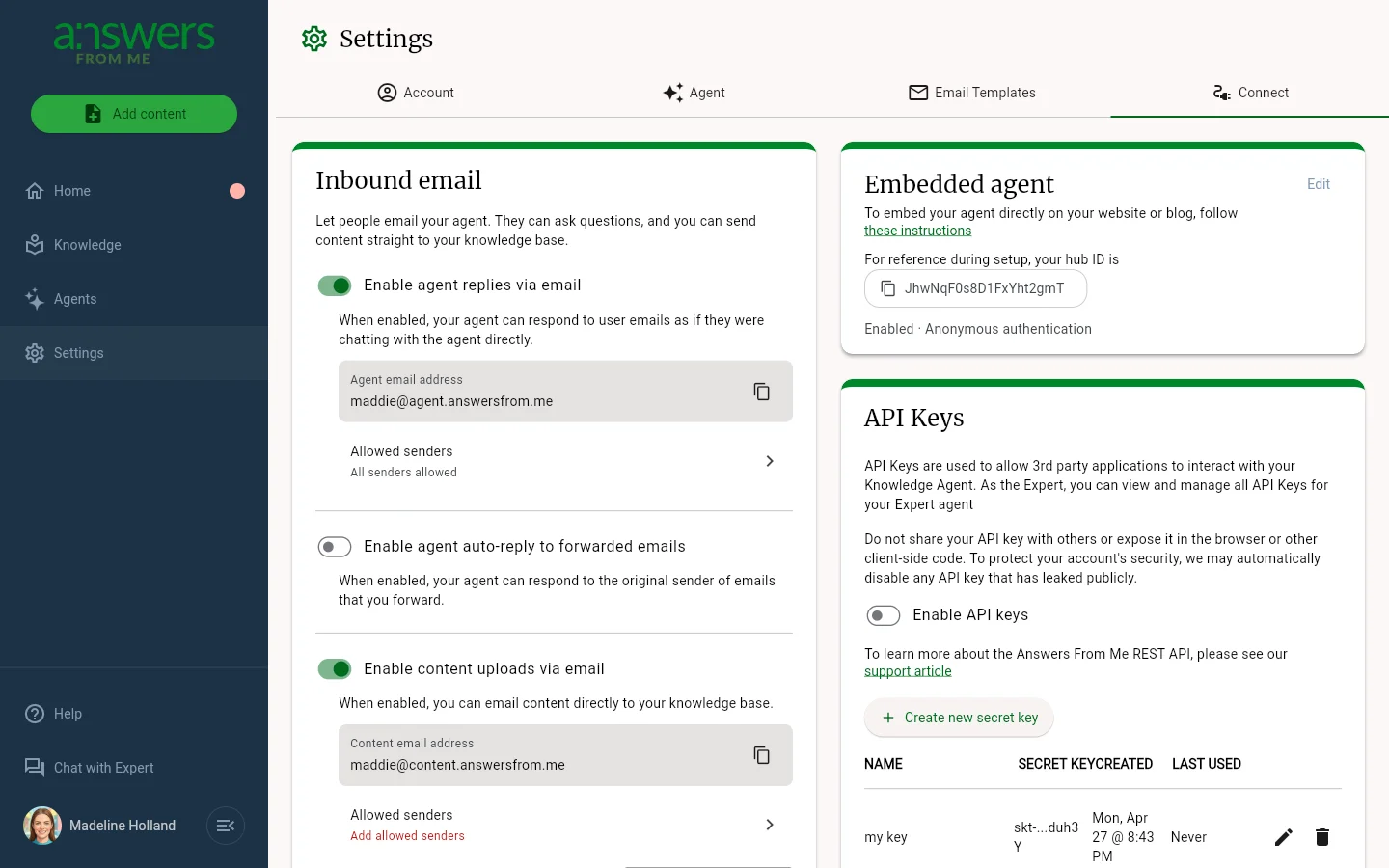
When inbound email is enabled, Answers From Me provides email addresses for your agent based on the specific features you enable.
There are a few main ways to use inbound email with your agent:
- Agent conversations over email: You can share your agent's email address to allow your audience to interact with your expertise directly via email.
- Agent auto-replies: Simply forward an email you receive to your agent's auto-reply address, and your agent will respond to the original sender on your behalf!
- Knowledge Base integration: You and your trusted senders can forward content to be automatically added to your Knowledge Base via email, without needing to visit the Answers From Me dashboard.
By using these capabilities, you can get a ton of value out of Answers From Me without ever leaving your email client!
Inbound email is part of the Plus plan and higher; see Plans, Usage and Limits.
Learn More
- Have Your Agent Reply to Emails - Let your agent automatically respond to incoming emails using your knowledge base.
- Agent Autoreply to Original Sender - Forward emails and have your agent reply to the original sender.
- Upload Content via Email - Add documents and files to your Knowledge Base by sending an email.
Was this article helpful?
That’s Great!
Thank you for your feedback
Sorry! We couldn't be helpful
Thank you for your feedback
Feedback sent
We appreciate your effort and will try to fix the article