Answers From Me provides several ways to get help when you need it. Whether you have a quick question or need to reach our support team, help is always just a click away.
In-App Help
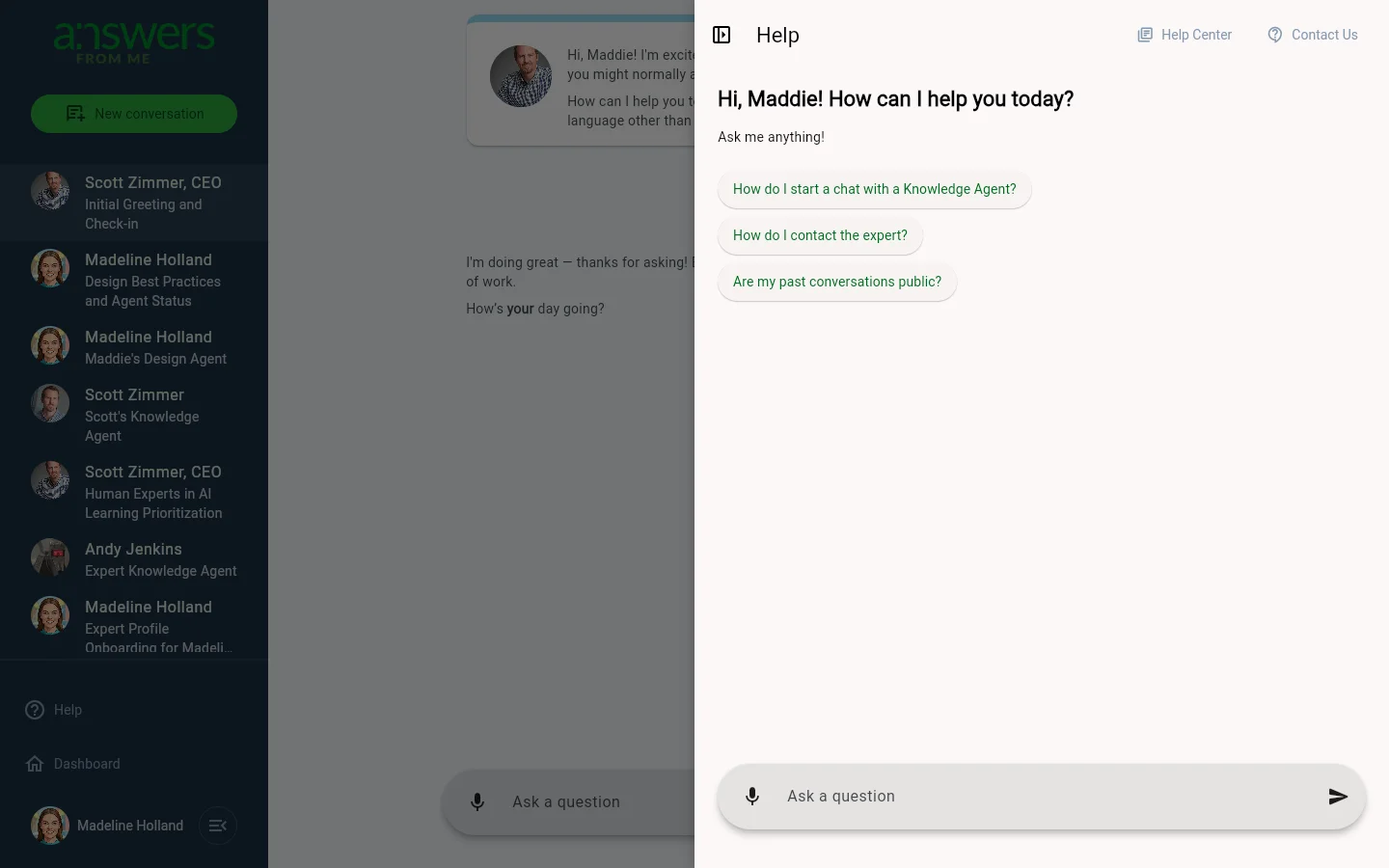
Click Help in the left sidebar to open the Help panel. You'll see a friendly greeting along with suggested questions to get you started, such as:
- "How do I start a chat with a Knowledge Agent?"
- "How do I contact the expert?"
- "Are my past conversations public?"
You can click any suggested question or type your own in the Ask a question field at the bottom. The Help panel is powered by its own Knowledge Agent, so it can answer a wide range of questions about using Answers From Me.
The Help Expert
Every user on Answers From Me starts with a connection to an AFM product expert. You'll find this conversation in your Conversations list. This expert's Knowledge Agent is specifically trained to help you navigate the platform and make the most of its features.
Help Center
At the top of the Help panel, click Help Center to visit the full Answers From Me knowledge base. There you'll find detailed articles on topics ranging from getting started to advanced expert features.
Contact Us
If you need to reach our support team directly, click Contact Us at the top of the Help panel. You can also:
Was this article helpful?
That’s Great!
Thank you for your feedback
Sorry! We couldn't be helpful
Thank you for your feedback
Feedback sent
We appreciate your effort and will try to fix the article