The Dashboard is your home base for becoming an expert on Answers From Me. If you have knowledge to share, this is where your journey begins.
Accessing the Dashboard
Click Dashboard in the bottom of the left sidebar to navigate to your expert home page. The Dashboard icon looks like a small house.
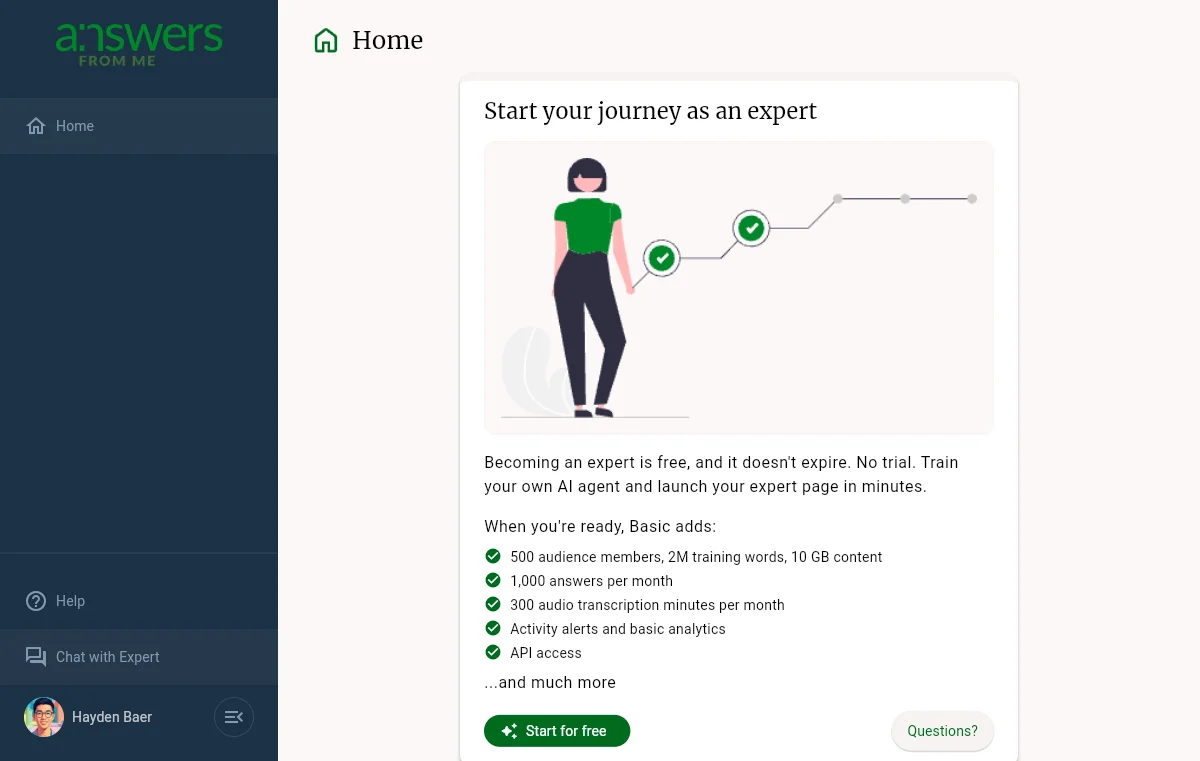
Becoming an Expert
If you haven't set up your expert account yet, the Dashboard will greet you with an invitation to start your journey as an expert. Becoming an expert is free and doesn't expire, so you can train your own AI Agent and launch your expert page without a trial. When you're ready for more, the Basic plan adds:
- 500 audience members, 2M training words, and 10 GB of content
- 1,000 answers per month
- 300 audio transcription minutes per month
- Activity alerts and basic analytics
- API access
Plus and Pro raise the limits further and add features such as voice cloning and charging seekers for your agent. See Plans, Usage and Limits.
Click Start for free to begin. No credit card is required.
What Experts Can Do
Once you've completed the steps to become an expert, you'll have access to all expert features through the Expert Dashboard. From there you can upload content, configure your agent, review answers, manage your community, and more.
If you have questions about becoming an expert, click the Questions? button on the Dashboard home page to learn more.
Was this article helpful?
That’s Great!
Thank you for your feedback
Sorry! We couldn't be helpful
Thank you for your feedback
Feedback sent
We appreciate your effort and will try to fix the article