If you've built up a library of valuable content and expertise on Answers From Me, you may want to turn that into a sustainable source of income. Monetizing your knowledge agent lets you earn from the content you've already created, while offering your audience a premium experience — whether that's access to your full knowledge base, exclusive content, or add-ons like 1:1 coaching and courses.
Setting Up Monetization
Charging seekers for your agent is part of the Pro plan. On another plan, turning on paid subscriptions opens the Plan upgrade sheet; see Plans, Usage and Limits.
To configure monetization, click Settings in the left navigation of your Expert Dashboard, then click the Agent tab. At the bottom of the Expert Page card, a row says what seekers pay, for example "Knowledge Seekers have free access to your Expert agent." Click it to open the Agent monetization sheet, then turn on Require paid subscription to your agent.
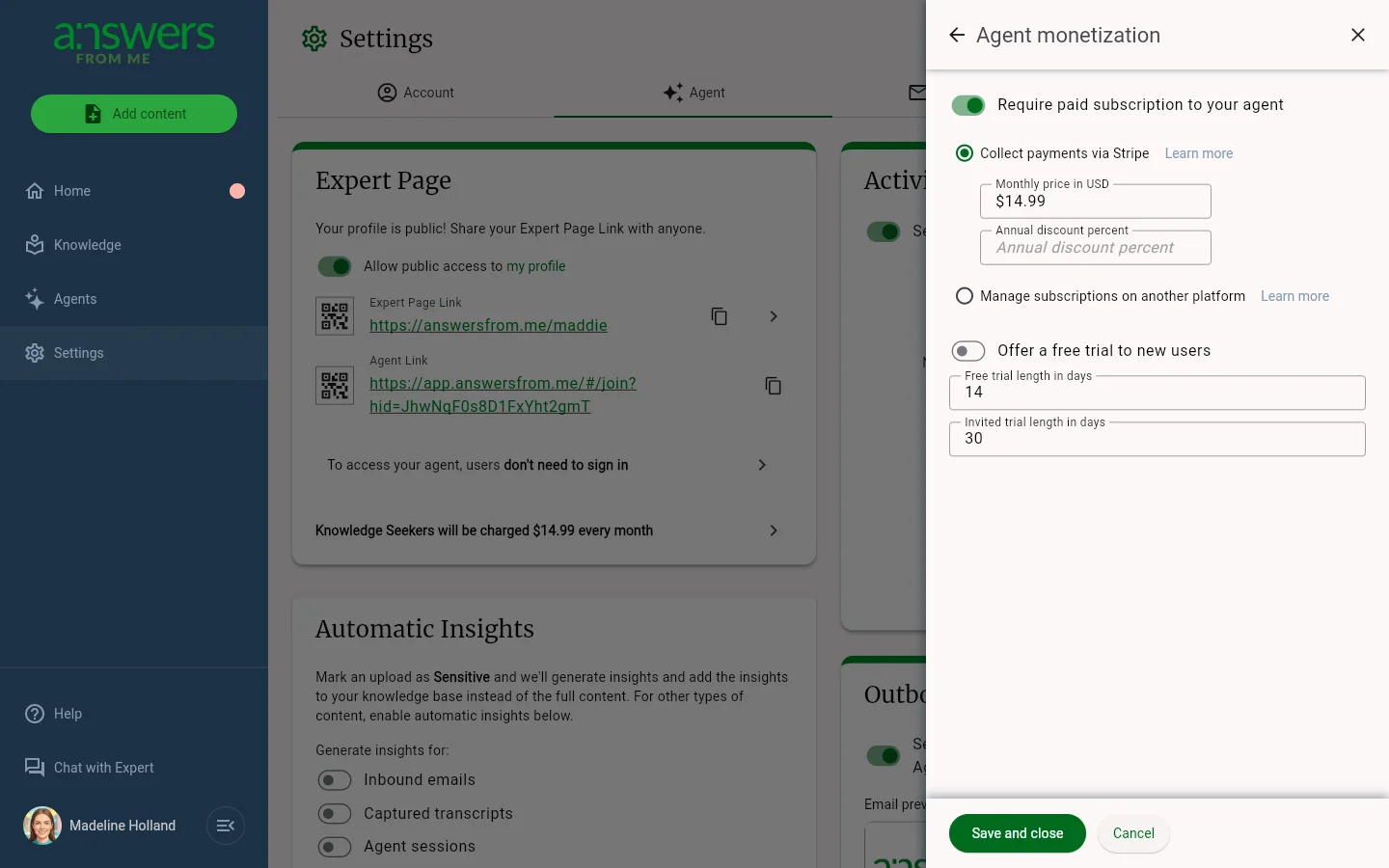
With Collect payments via Stripe selected, the available settings are:
- Monthly price in USD — the monthly subscription price for your agent.
- Annual discount percent — optionally offer a percentage discount for seekers who subscribe annually.
- Offer a free trial to new users — give new seekers a chance to try your agent before committing. Free trial length in days applies to everyone, and Invited trial length in days sets a longer trial for seekers you personally invite.
If your audience already subscribes on another platform, choose Manage subscriptions on another platform instead; see Syncing External Subscriptions. Click Save and close when you're done.
Approval and Terms
Monetization requires approval from Answers From Me. The configuration screen allows you to set and adjust your pricing parameters, which will be reviewed by AFM support. You will also need to sign monetization terms with AFM before your paid agent can go live.
The Seeker Experience
Once your agent is set up as a paid agent, here's what seekers will see.
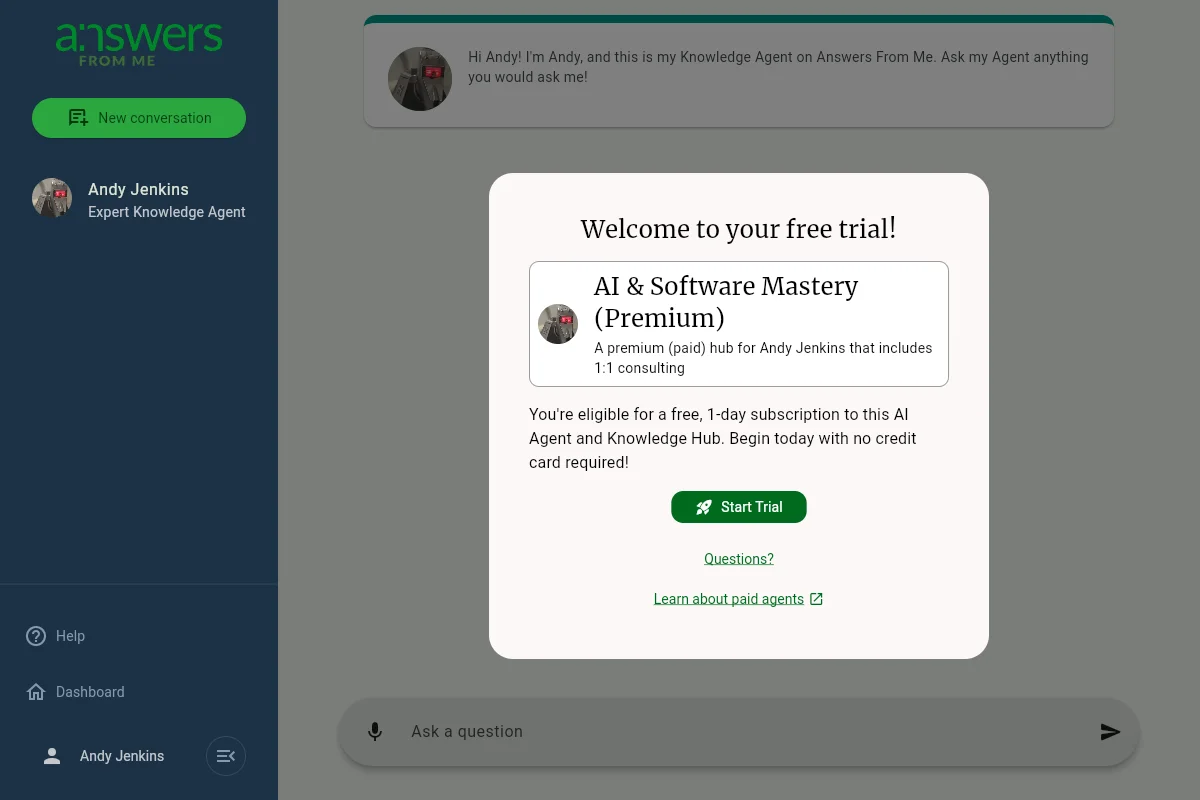
Starting a Free Trial
When a seeker first visits your paid agent, they'll be welcomed with an invitation to start a free trial. No credit card is required to begin the trial.
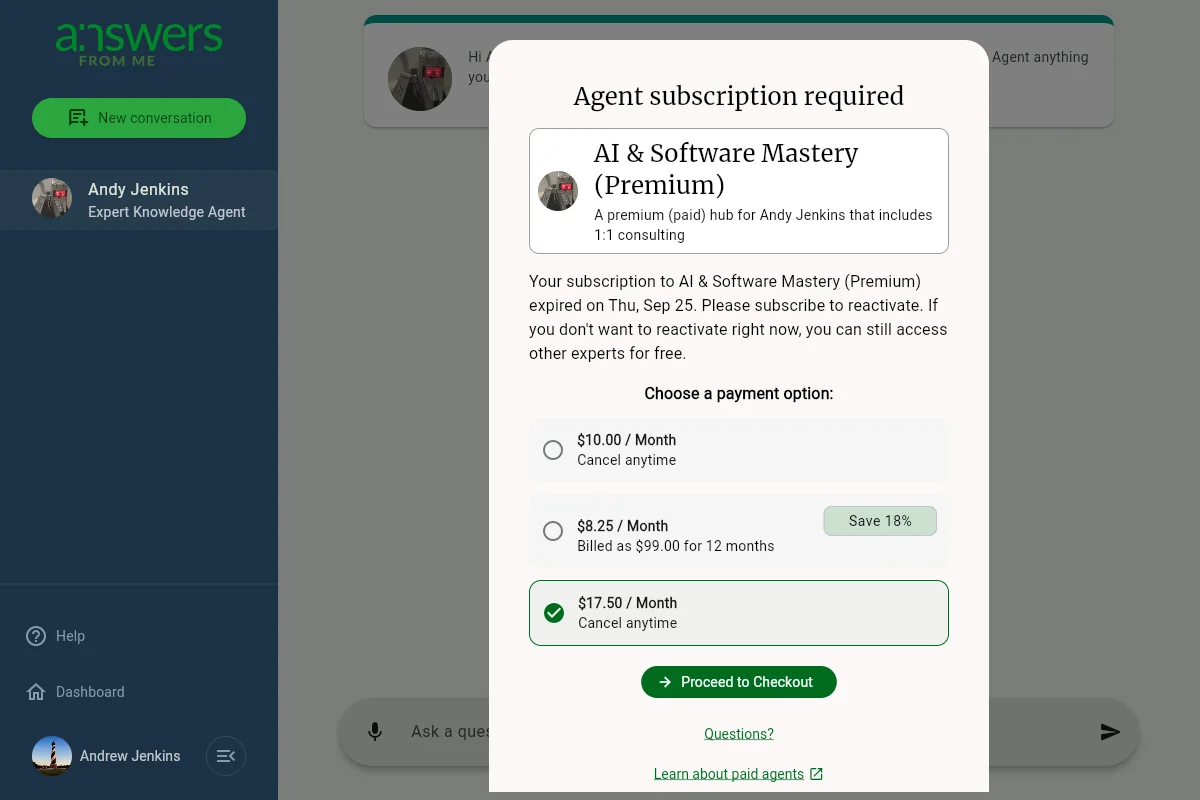
Subscribing After the Trial
Once the free trial ends, seekers will see a subscription prompt with your configured pricing options, including both monthly and annual plans.
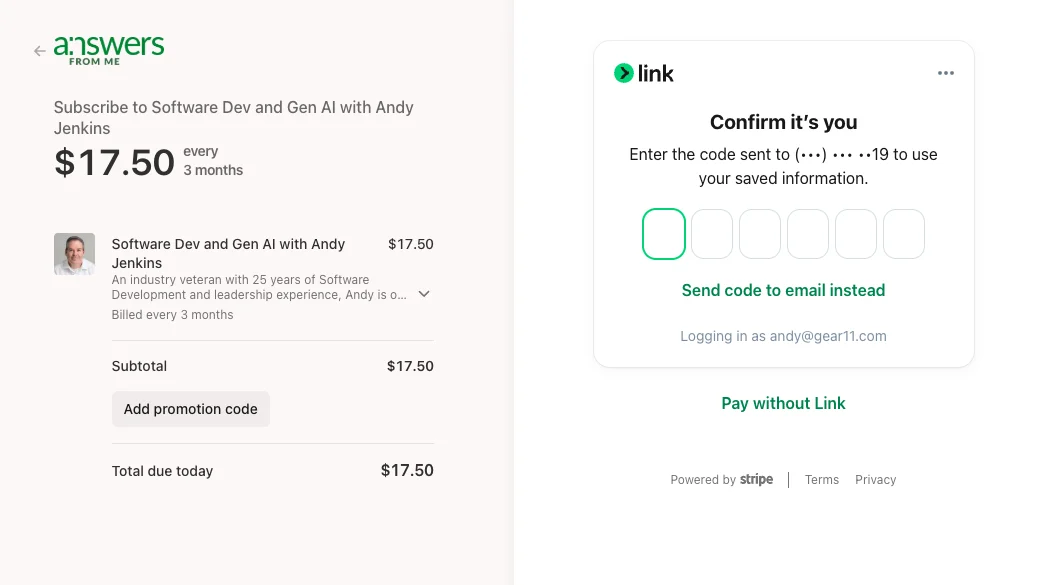
Stripe Checkout
When a seeker chooses to subscribe, they're taken to a secure Stripe checkout page to complete their payment.
Notification
You'll receive an email notification when a new user subscribes to your agent.
Was this article helpful?
That’s Great!
Thank you for your feedback
Sorry! We couldn't be helpful
Thank you for your feedback
Feedback sent
We appreciate your effort and will try to fix the article