The Conversations view is where you interact with Knowledge Agents from experts you follow. If you are on the Expert Dashboard, access it from the bottom of the nav rail by clicking Chat with Expert.
Your Conversations
The left sidebar shows your conversation history, listed by expert name and topic. Each entry displays the expert's avatar, name, and a preview of the conversation. Click any conversation to pick up where you left off.
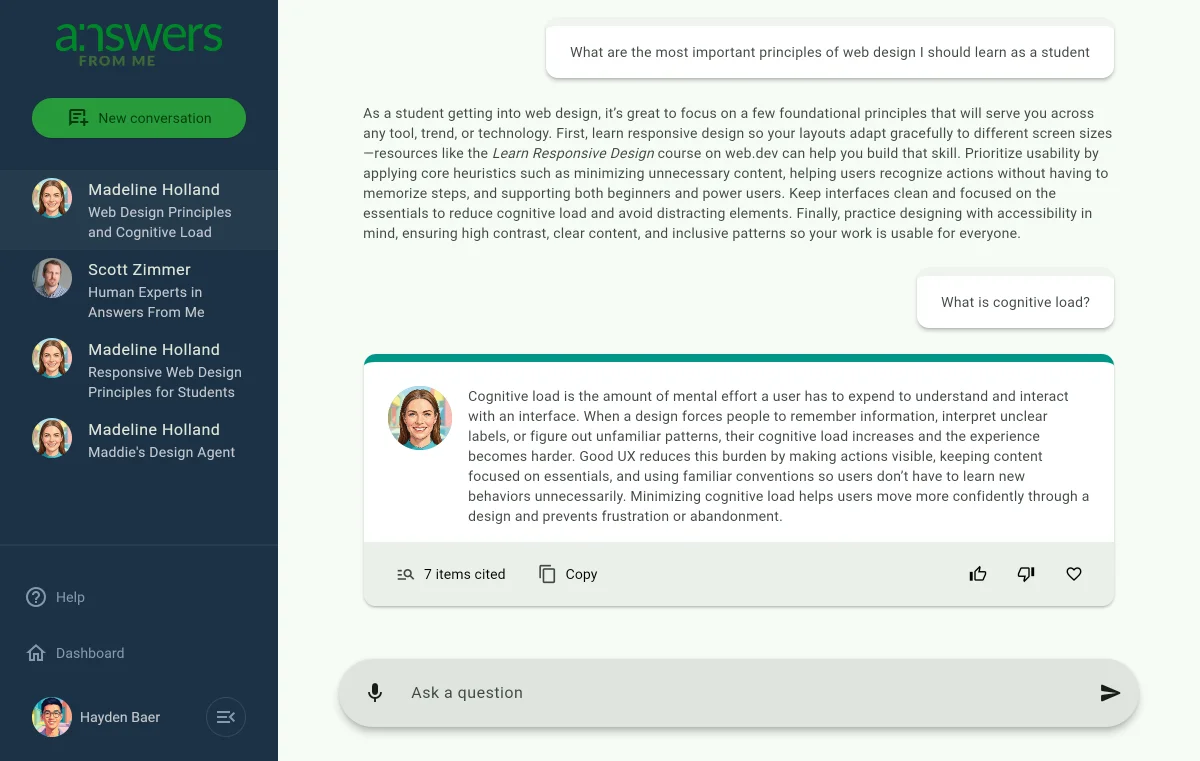
Starting a New Conversation
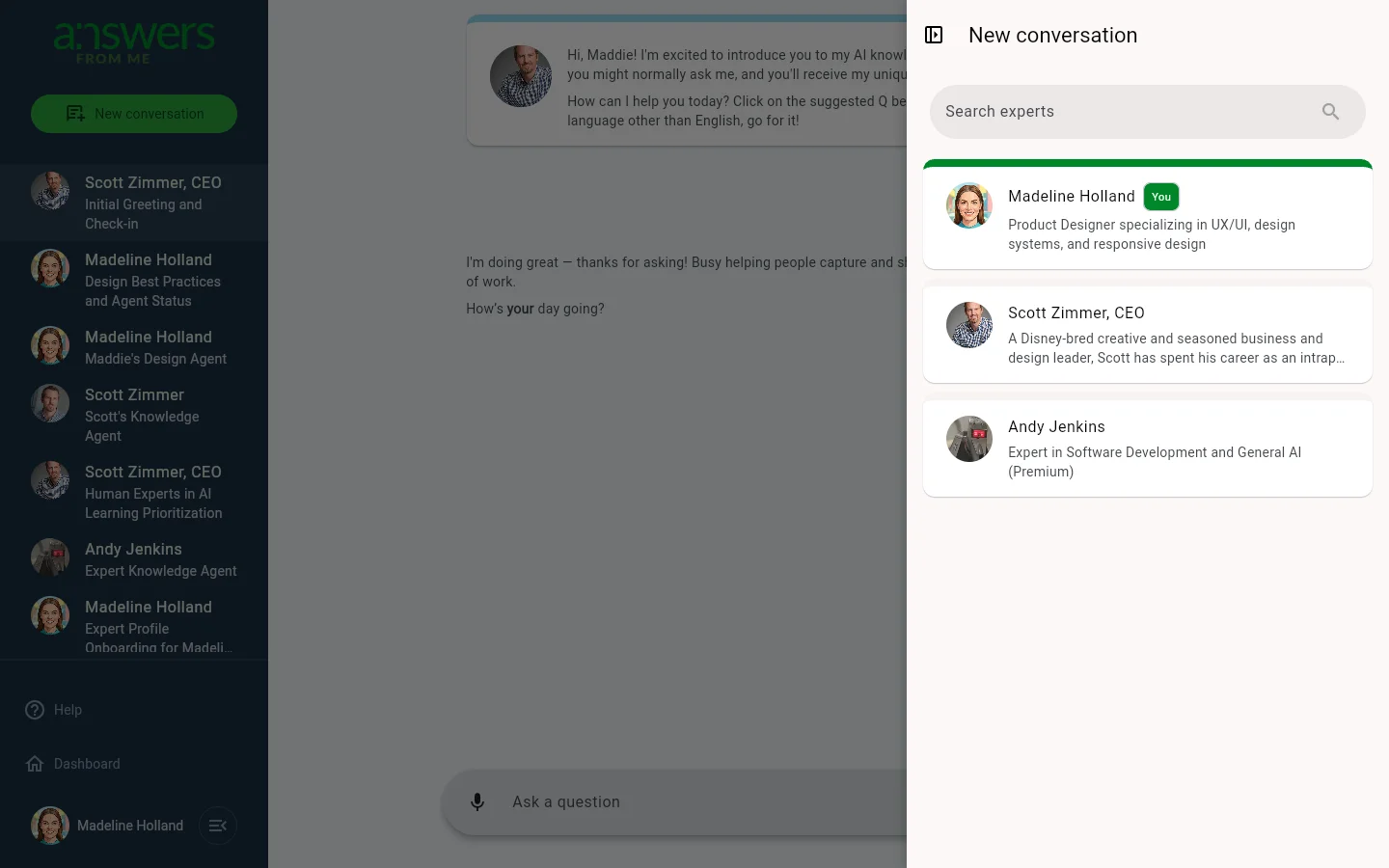
- Click New conversation at the top of the sidebar
- A panel opens on the right showing available experts with their photos and descriptions
- Use the search field to find an expert by name
- Your own agent appears with a "You" badge, and premium experts are labeled accordingly
- Click an expert to start chatting with their Knowledge Agent
The Chat Interface
The expert's greeting message appears first, often with suggested questions displayed as clickable cards below it. Type your question in the Ask a question field at the bottom and click Send. You can also use the Speak button (microphone icon) for voice input. Agent responses appear on the left with the expert's avatar.
Answer Details
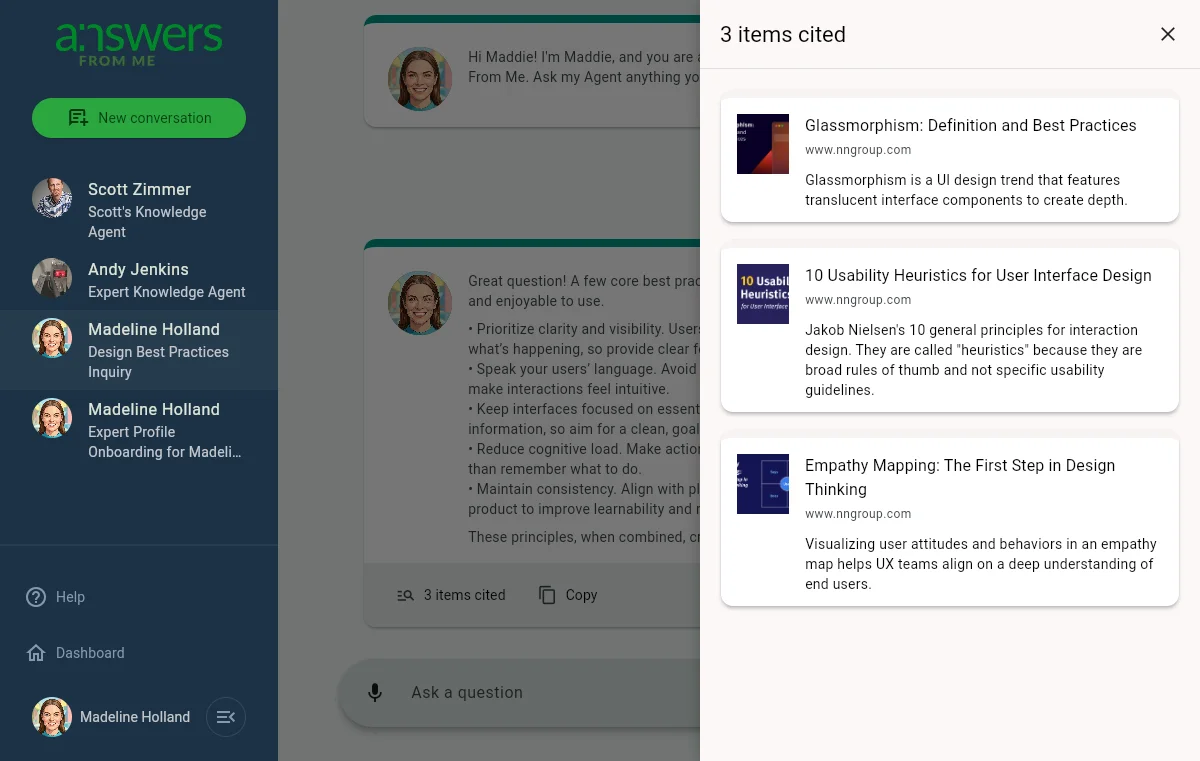
Each answer includes interactive features:
- Items cited — click to open a panel showing the sources referenced, with thumbnails, titles, and descriptions
- Copy — copy the answer text to your clipboard
- Ratings — rate the answer as Helpful (thumbs up), Not Helpful (thumbs down), or Love It (heart)
Your ratings help experts improve their Knowledge Agents over time, so don't hesitate to share your feedback.
Navigating Back
Click Dashboard at the bottom of the sidebar to return to the Expert Dashboard.
Was this article helpful?
That’s Great!
Thank you for your feedback
Sorry! We couldn't be helpful
Thank you for your feedback
Feedback sent
We appreciate your effort and will try to fix the article