The Agents page in the Expert Dashboard is where you configure your Knowledge Agent's personality, behavior, and interaction style. This is the brain behind how your agent communicates with seekers.
Your Agents
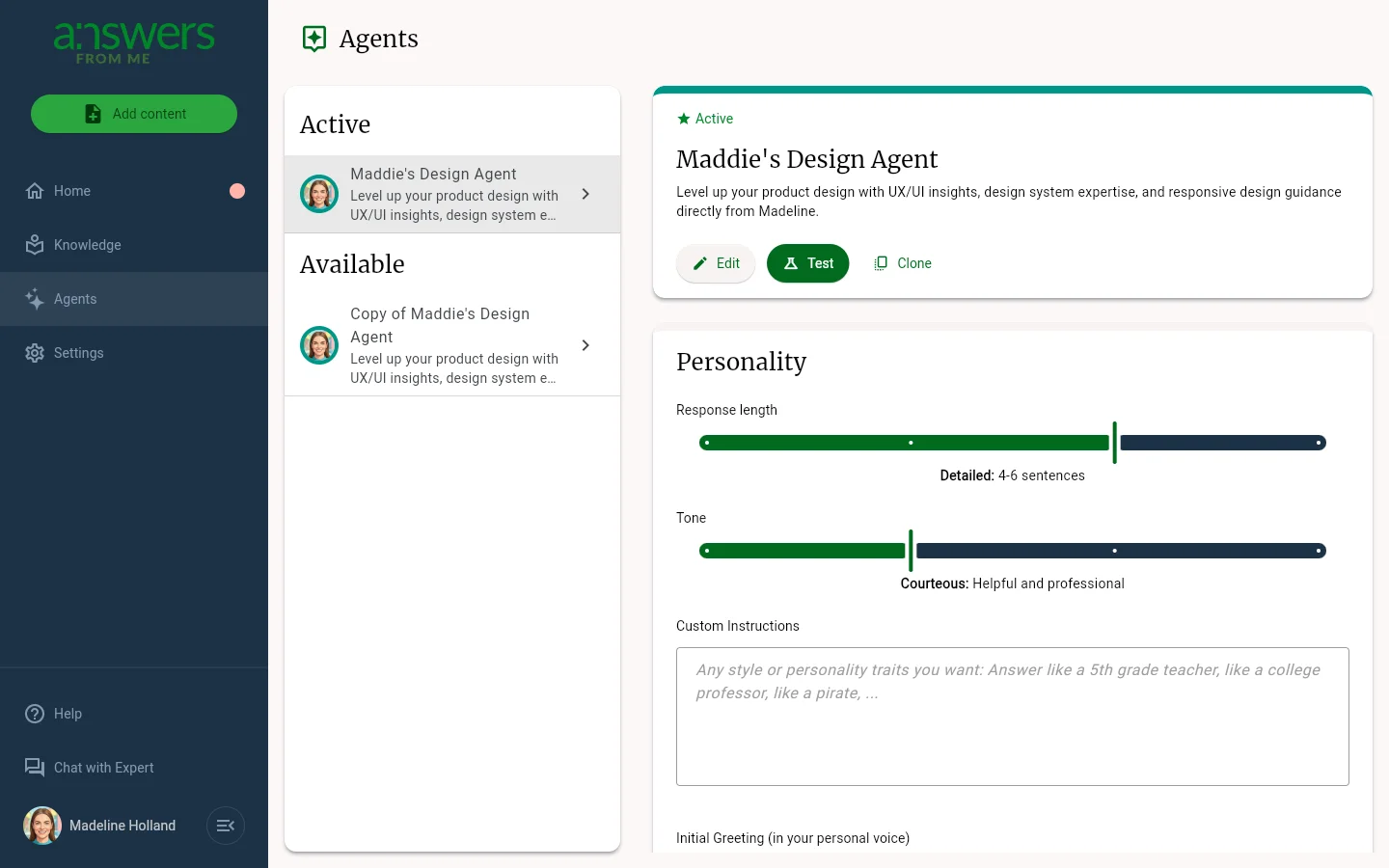
The left panel shows your agents organized into Active and Available sections. Your active agent is the one currently serving your seekers. You can create additional agents with New Agent to experiment with different settings before making them active.
For any agent, you can Edit its name and description, Clone it to create a copy, or Test it to see how it responds in a live preview.
Personality
Customize how your agent communicates:
- Response length — adjust the slider from concise to detailed answers
- Tone — adjust the slider from friendly to formal
- Custom Instructions — describe any style or personality traits you want, such as answering like a teacher or a college professor
- Initial Greeting — the welcome message seekers see when they start a
conversation. Use
{seeker_first_name}and{expert_first_name}to personalize it
Knowledge and Interaction
The Knowledge section controls how your agent uses your content, including whether to show citations and what to do when your knowledge base doesn't have an answer.
The Interaction section lets you configure features like suggested questions, follow-up prompts, and whether you want to review answers before they're sent to seekers.
Was this article helpful?
That’s Great!
Thank you for your feedback
Sorry! We couldn't be helpful
Thank you for your feedback
Feedback sent
We appreciate your effort and will try to fix the article