The Expert Dashboard is your command center for managing your Knowledge Agent on Answers From Me. From here you manage your content, configure your agent, review answers, and connect with your community. If you haven't set up your expert account yet, see the Dashboard to get started.
Accessing the Dashboard
Click Dashboard at the bottom of the left navigation from the Chat with Expert view, or navigate directly to your dashboard URL. Once inside, the nav rail on the left provides access to four sections — Home, Knowledge, Agents, and Settings. Home itself is organized into three tabs — Activity, Answers, and People — so the things you look at every day are one click away. At the top of the nav rail you'll find the Add content button for quickly uploading new material.
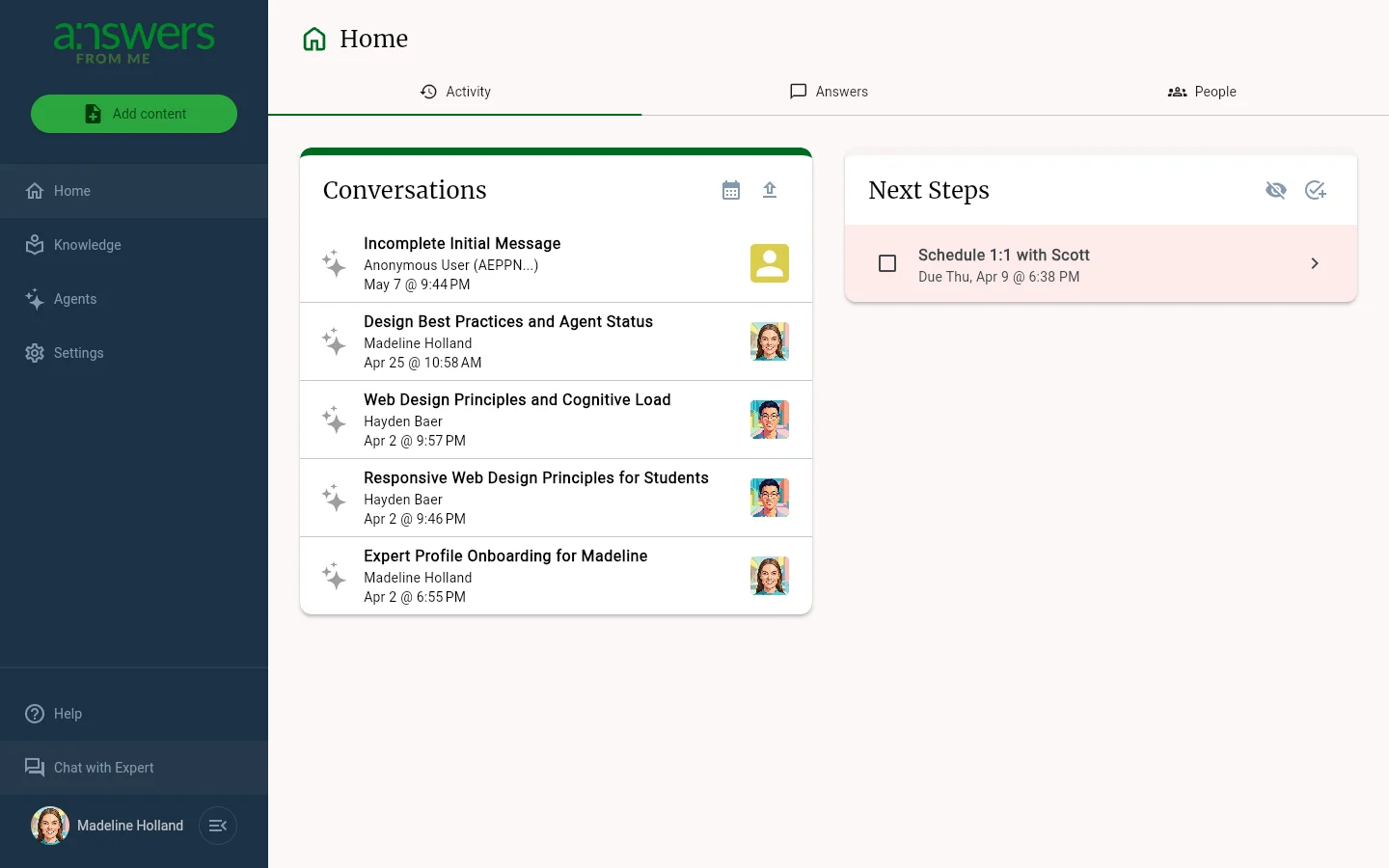
Home
The Home page is where your day-to-day work happens. It has three tabs:
- Activity — recent agent conversations alongside your Next Steps task list, so you can pick up where you left off
- Answers — every question asked and answer given by your agent, with filters, search, sort, and multi-select for review
- People — the community around your agent, with filtering across prospects, seekers, blocked users, and cohorts
See Home for details.
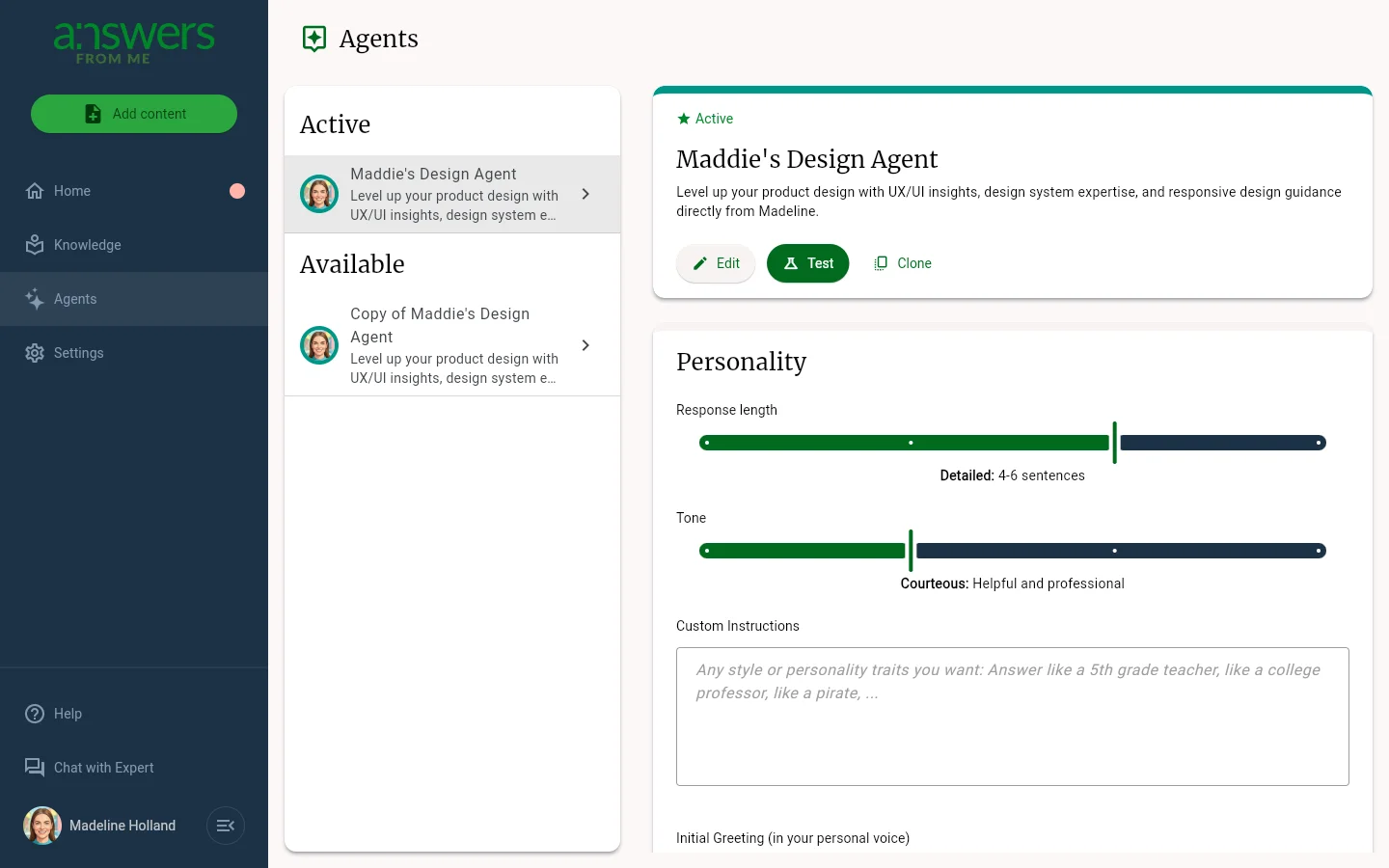
Agents
Configure your Knowledge Agent's personality, behavior, and interaction style. Switch between active and available agents, adjust personality settings like response length and tone, control knowledge settings such as citations and fallback behavior, and fine-tune interaction settings including review mode and suggestions. See Agents for details.
Knowledge
Manage the knowledge powering your agent. Four tabs organize your material: Content Items, Confirmed, Sources, and Playlists. Search, sort, and perform bulk actions to keep your knowledge base current. See Knowledge for details.
Settings
Manage your account, sharing, notifications and integrations across four tabs. Account covers your profile, sign-in, plan usage and subscription plan. Agent covers your Expert Page and Agent Link, monetization, automatic insights, and notifications. Email Templates lets you customize outreach. Connect manages inbound email, the embedded agent, and API keys. See Settings for details, and Plans, Usage and Limits for your plan.
Was this article helpful?
That’s Great!
Thank you for your feedback
Sorry! We couldn't be helpful
Thank you for your feedback
Feedback sent
We appreciate your effort and will try to fix the article