The Answers tab on Home in the Expert Dashboard gives you full visibility into every question your seekers have asked and every answer your agent has provided. This is where you monitor quality and refine your agent's responses.
Getting there
From the Expert Dashboard, click Home in the nav rail and then the Answers tab.
Viewing Answers
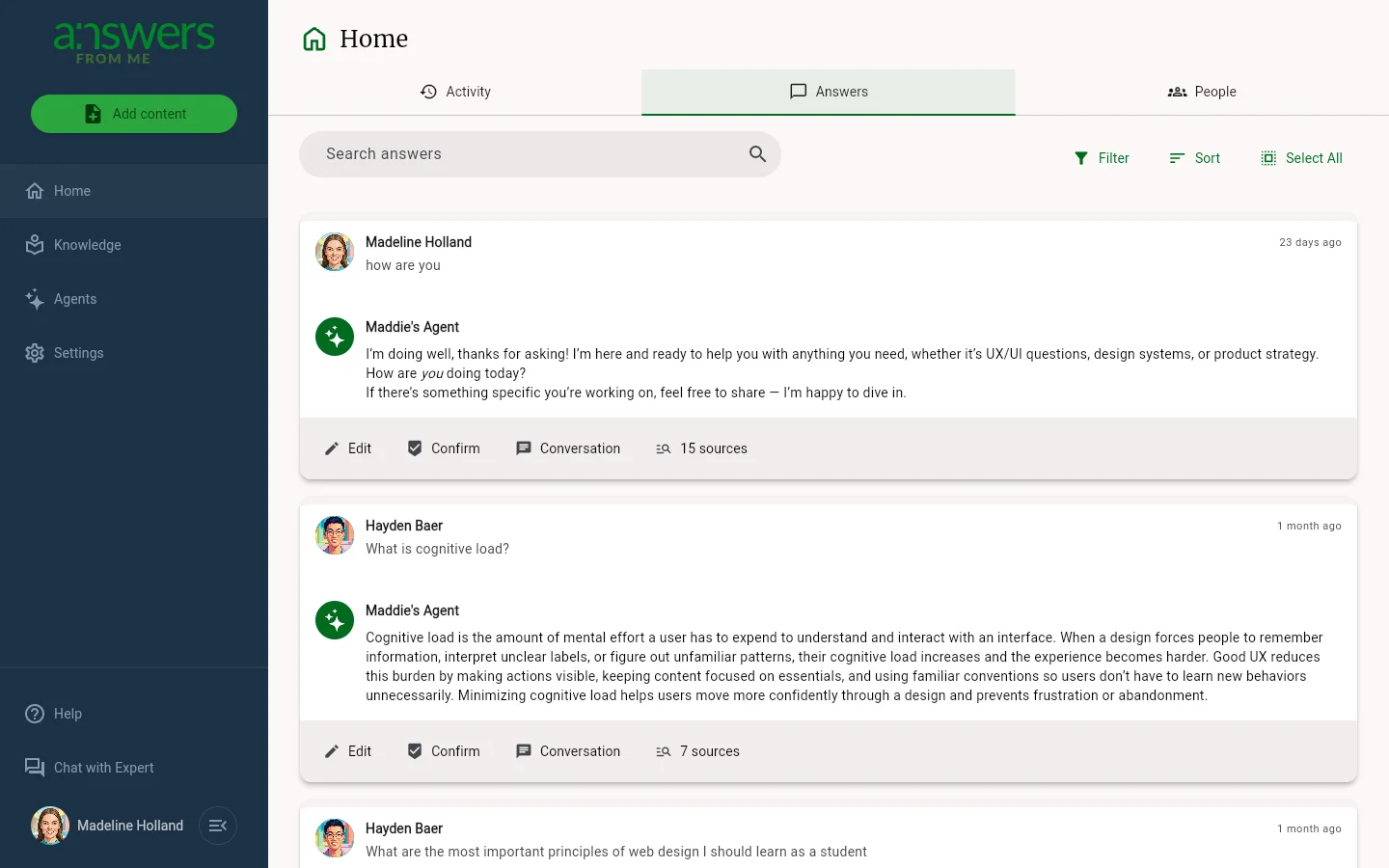
Each Answer Card shows who asked the question, when it was asked, and the agent's reply. Use the controls above the list to focus on what matters:
- Search — find specific topics across questions and answers
- Filter — narrow by status (for example, new vs. needs attention) and other attributes; your filter preference sticks
- Sort — change the order; your sort preference sticks
- Select All — switch into multi-select mode to act on several cards at once
Working with Answers
Each Answer Card includes several actions:
- Conversation — open the full conversation thread with the seeker
- 15 sources (or however many) — see which content items the agent referenced in its answer
- Confirm — mark a good answer as confirmed so your agent can reuse it confidently in the future
- Edit — revise the agent's answer to improve accuracy or tone
When your agent has used the month's answers, new seeker questions wait here marked Out of answers. Click Write it yourself to reply. See Plans, Usage and Limits.
Why It Matters
Regularly reviewing your agent's answers helps you spot areas where your knowledge base could be stronger. Confirming great answers and editing weaker ones trains your agent to be more helpful over time.
Was this article helpful?
That’s Great!
Thank you for your feedback
Sorry! We couldn't be helpful
Thank you for your feedback
Feedback sent
We appreciate your effort and will try to fix the article