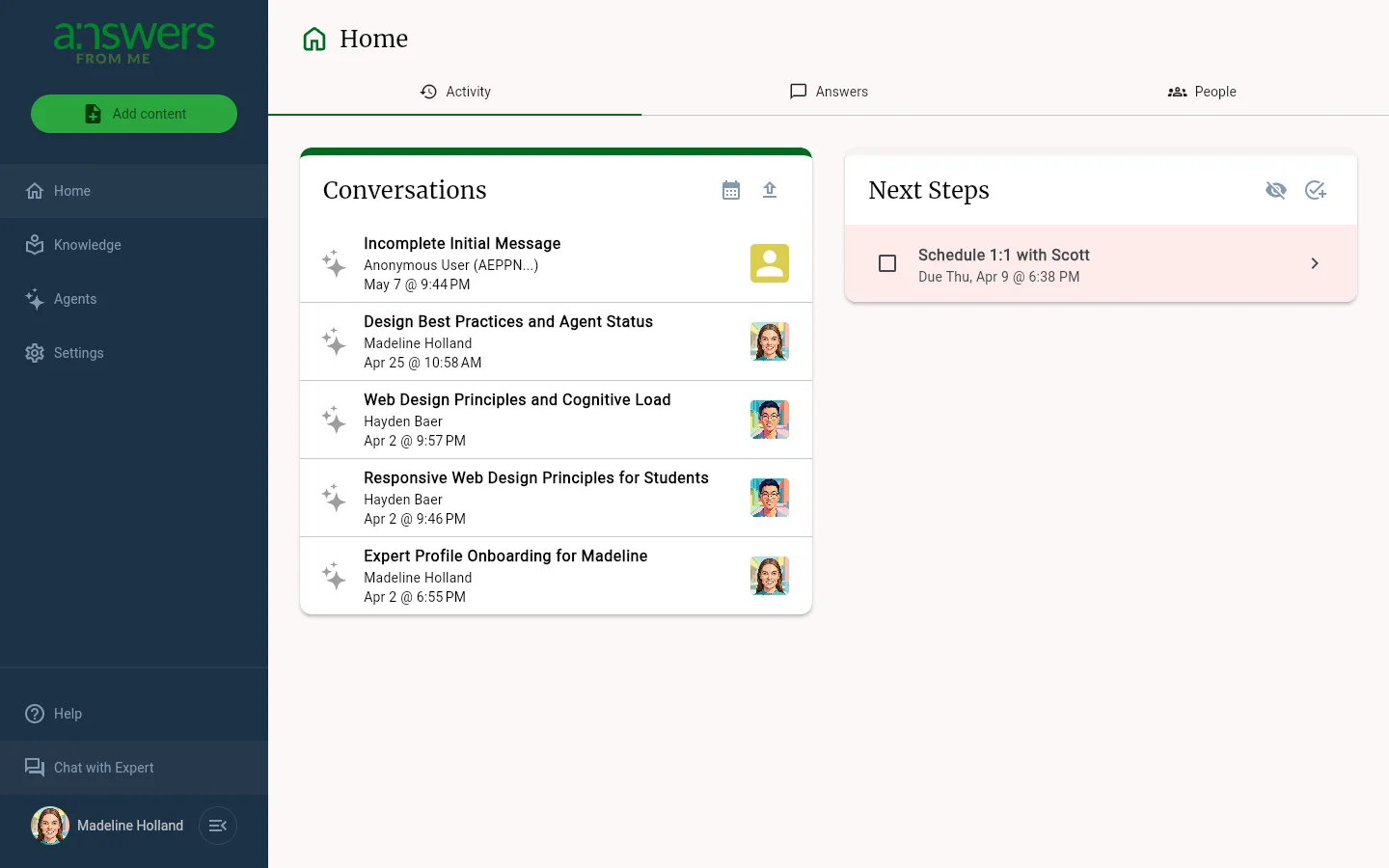
The Home page is your Expert Dashboard at a glance. It brings together your recent conversations, the questions your seekers are asking, the people you're connected to, and your upcoming tasks — all under three tabs so you can quickly see what needs your attention.
Activity
The default tab. The Conversations card on the left shows your most recent Knowledge Agent conversations, listed by seeker name and topic. Click any conversation to jump straight into it. Use Upload conversation to import a conversation from another source, or Transcribe a Meeting to add a meeting transcript to your knowledge base.
The Next Steps card on the right keeps you organized with a built-in task list. Check off completed items, add new tasks with New Task, and set due dates. Hide completed items to keep the list focused on what's ahead.
Answers
The Answers tab is your review queue for every question your seekers have asked. Each Answer Card shows the seeker, their question, your agent's reply, and the actions you reach for most — Edit, Confirm, Conversation, and the cited sources. Search, Filter, Sort, and Select All sit at the top of the list and your preferences stick between visits. See Answers for details.
People
The People tab is where you manage the community around your agent. Search by name, Filter to focus on seekers, prospects, blocked members, or specific cohorts, and Sort by name or last-active date. Click any person to open their details. See People for details.
Getting to the Dashboard
Click Dashboard at the bottom of the side navigation from the Chat with Expert view, or click Home in the expert nav rail if you're already in the dashboard. The Home icon looks like a small house.
Was this article helpful?
That’s Great!
Thank you for your feedback
Sorry! We couldn't be helpful
Thank you for your feedback
Feedback sent
We appreciate your effort and will try to fix the article