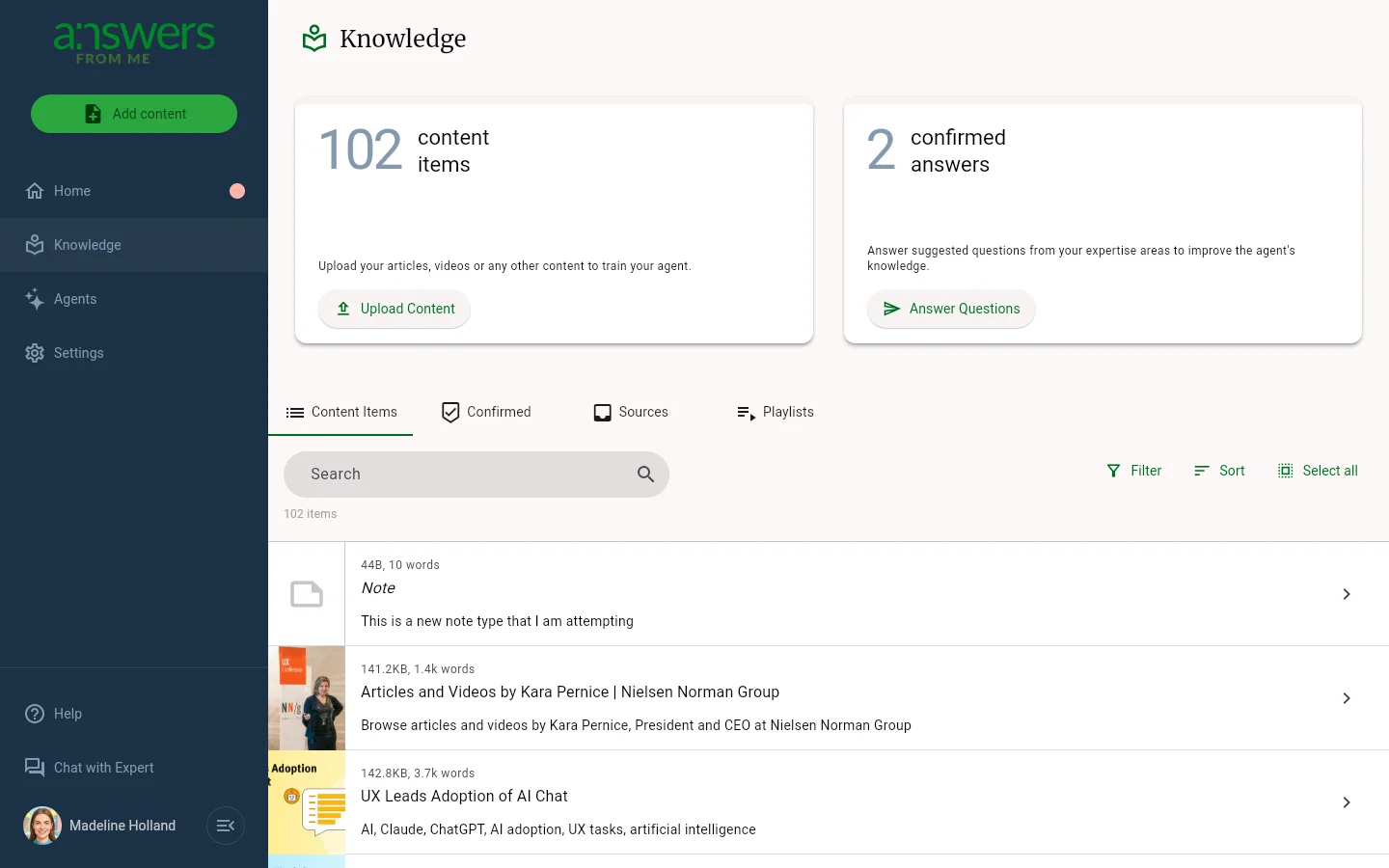
The Knowledge page in the Expert Dashboard is where you manage the knowledge that powers your agent's answers. Everything your agent knows comes from the content you upload here.
Content Items
The default tab shows all of your uploaded content items. Each item displays its title, a brief description, and a thumbnail. You can search, sort by name or date, and select multiple items for bulk actions. Use the Add content button at the top of the left navigation to upload new files.
Confirmed
The Confirmed tab contains answers that you've reviewed and approved as accurate. When your agent gives a great answer, you can add it to Confirmed from the Answers page. Confirmed answers become part of your knowledge base and help your agent respond more accurately in the future.
Sources
The Sources tab shows where your content originated, such as web pages, uploaded documents, or other integrations. This helps you keep track of the raw materials behind your knowledge base.
Playlists
The Playlists tab lets you organize your content into curated collections. Playlists are a way to group related content together, making it easier to manage and share specific topics with your seekers.
Adding Content
Click the Add content button at the top of the left navigation to upload files, paste text, or import from a URL. Your agent will process the content and make it available for answering questions.
Was this article helpful?
That’s Great!
Thank you for your feedback
Sorry! We couldn't be helpful
Thank you for your feedback
Feedback sent
We appreciate your effort and will try to fix the article