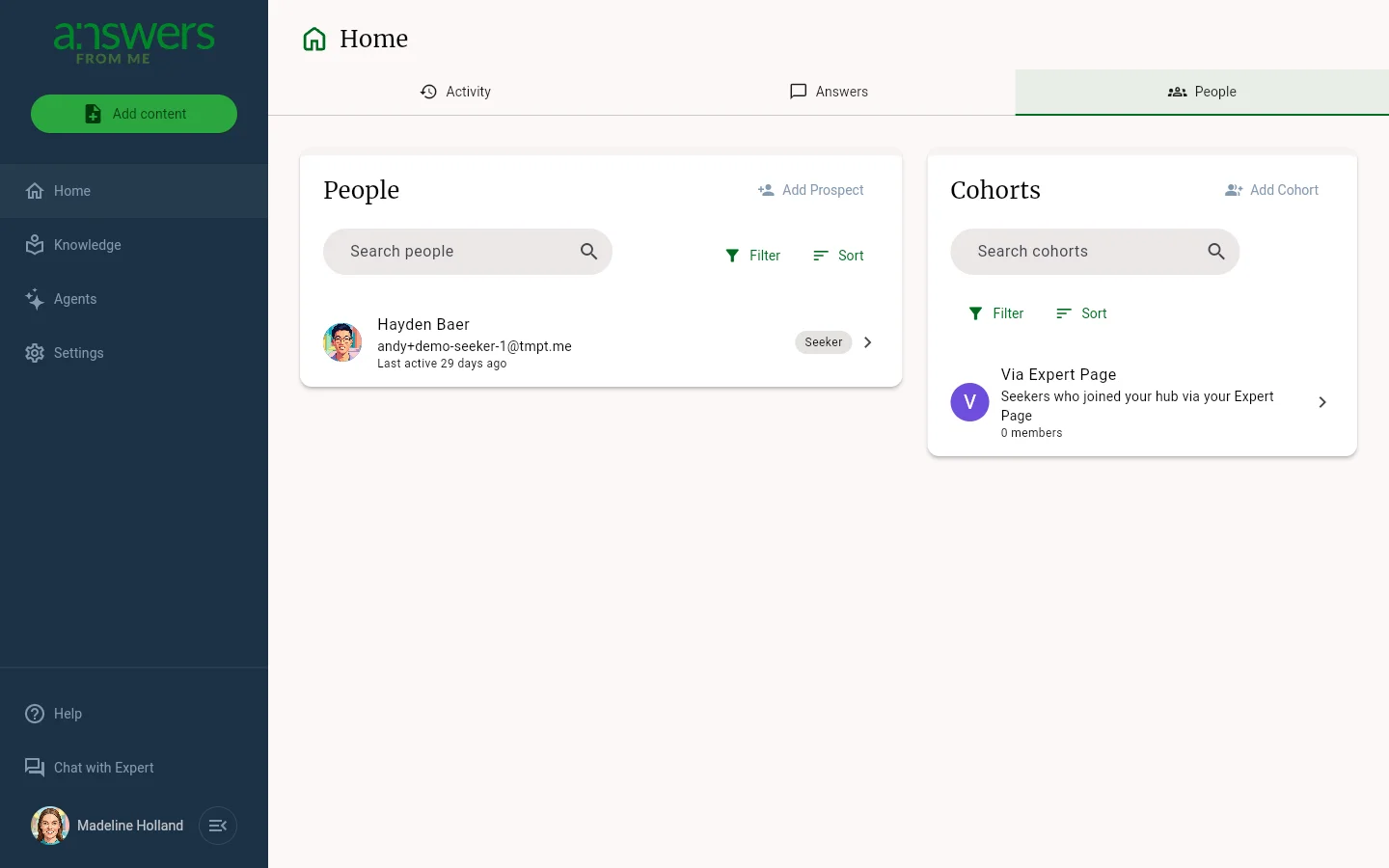
The People tab on Home in the Expert Dashboard is where you manage the community around your Knowledge Agent. Here you can track prospects, view your active seekers, and organize people into cohorts.
Getting there
From the Expert Dashboard, click Home in the nav rail and then the People tab.
Finding people
The People card lists everyone connected to your community. Use Search to find someone by name or email, Filter to focus on a particular group (for example, seekers, prospects, blocked members, or a specific cohort), and Sort to order the list by name or by when each person was last active.
Adding people
- Click Add Prospect to add someone to your prospect list without sending an invitation right away.
- Open a prospect to send an invitation when you're ready.
If you're past your plan's audience limit, extra members show as "Audience member" until you upgrade. See Plans, Usage and Limits.
Cohorts
The Cohorts card on the right groups your seekers by topic, class, or any category that makes sense for your audience. Click Add Cohort to create one, and Search or Filter to find an existing cohort. Cohorts need the Plus plan or higher.
Managing your community
Click on any person to view their profile and activity. From there you can see their conversation history, manage their access, and assign them to cohorts.
Was this article helpful?
That’s Great!
Thank you for your feedback
Sorry! We couldn't be helpful
Thank you for your feedback
Feedback sent
We appreciate your effort and will try to fix the article