Your Knowledge Agent helps you scale as an expert by being there around the clock for your audience. Most of the time that is exactly what you want. But sometimes a conversation calls for you personally — the topic is sensitive, the question is unusual, or you simply need a little back-and-forth to understand what the seeker is really asking.
You can take any conversation over from your agent, answer it yourself, and hand it back when you're done.
Taking Over
Open the Conversations list on your dashboard and select the conversation you want. The Review Conversation panel opens with details about the conversation and, at the bottom, Take over the conversation.
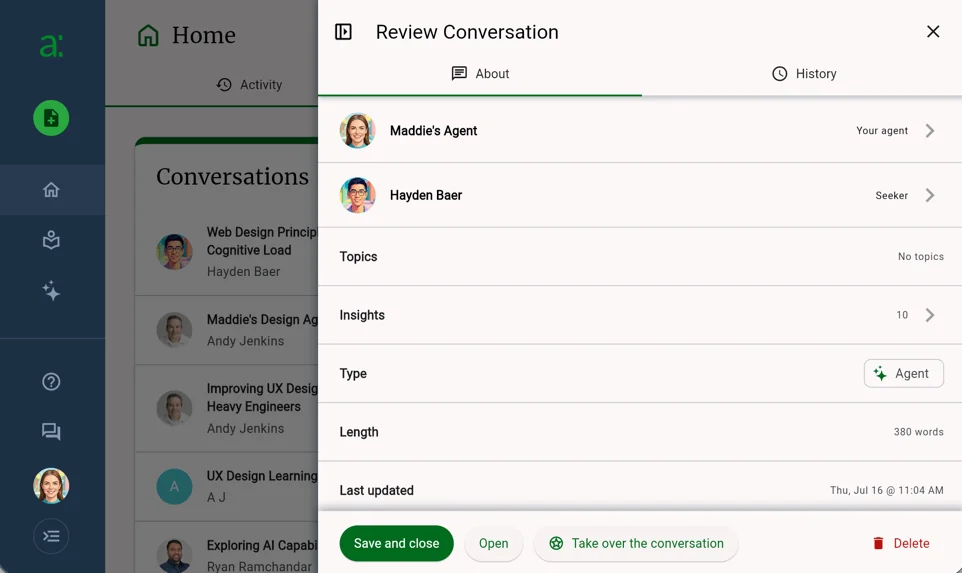
From this panel you can also click Open to go straight to the conversation itself, which is where you'll reply.
Once you take over, your agent stops responding automatically. Nothing is waiting on you and nothing expires — answer at your convenience.
What Your Seeker Sees
Taking over is not silent, and that's by design. Your seeker sees that you've stepped in, so they know they're talking to you rather than your agent, and they're notified whenever you reply. Nobody is left wondering who is on the other end.
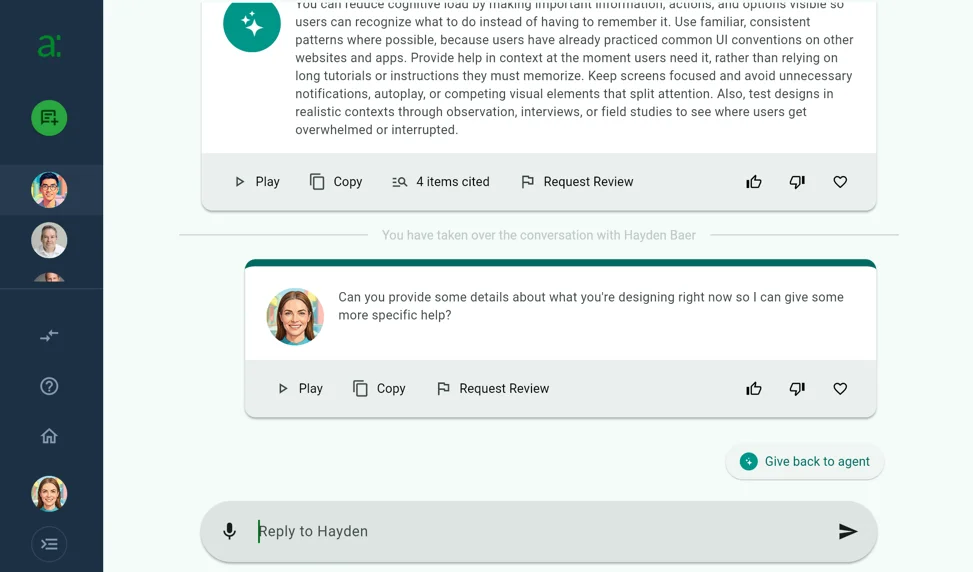
In the conversation itself, a marker shows where the handoff happened, and your replies appear with your own avatar rather than your agent's. Type your reply in the field at the bottom just as your seeker does.
Keeping Track
Conversations you've taken over are kept separate from the ones where you're the one asking. From your Expert Dashboard, click Chat with Expert at the bottom of the nav rail to open the Conversations view. The sidebar groups your conversations under two headings:
- Taken over — conversations you've stepped into, where seekers are waiting to hear from you
- Talking to experts — your own conversations with other experts' agents
Because they're grouped together, a conversation you stepped into doesn't quietly go unanswered.
Handing It Back
When you're finished, click Give back to agent. Your agent resumes answering the seeker immediately — there's nothing else to switch on.
Handing back isn't final. The takeover button stays available in the conversation, so you can step in and out as often as a conversation needs.
Was this article helpful?
That’s Great!
Thank you for your feedback
Sorry! We couldn't be helpful
Thank you for your feedback
Feedback sent
We appreciate your effort and will try to fix the article