This month we've focused on giving your agent more ways to be heard and to stay current: answers you can listen to, a knowledge base that keeps itself up to date, and an extra layer of protection on your inbox. We also opened up the API, on your terms. Here's what landed.
Voice Playback of Answers (with customizable voice)
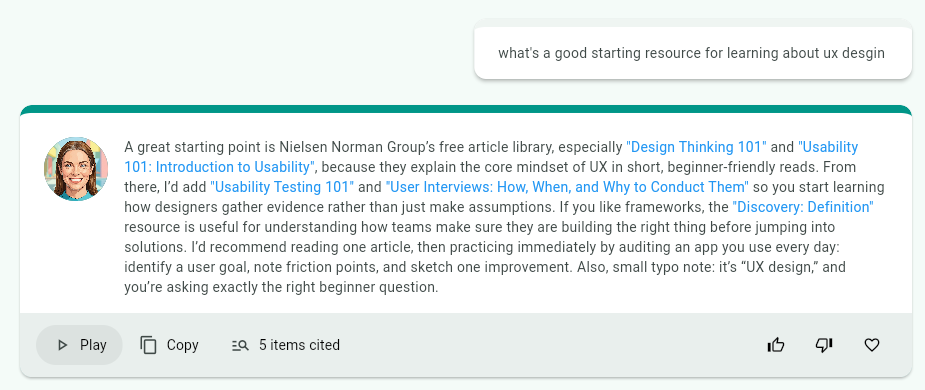
Answers now have a play button that allows seekers to have the answer read aloud to them. The playback streams as the audio is generated, so listening starts in just a few seconds. You can customize the voice in your advanced agent settings to match how you'd like your agent to sound.
Automated Content Rescanning
When adding content to your knowledge base, you can now choose to automatically rescan the source for new content. This works well when you are adding things like podcasts or RSS feeds that add items over time, or web pages that change. Instead of re-adding a source whenever it updates, your agent picks up the new material on its own, so your knowledge base stays current without ongoing effort on your part.
Learn more about adding content to your Knowledge Hub
Conversation Details Pane
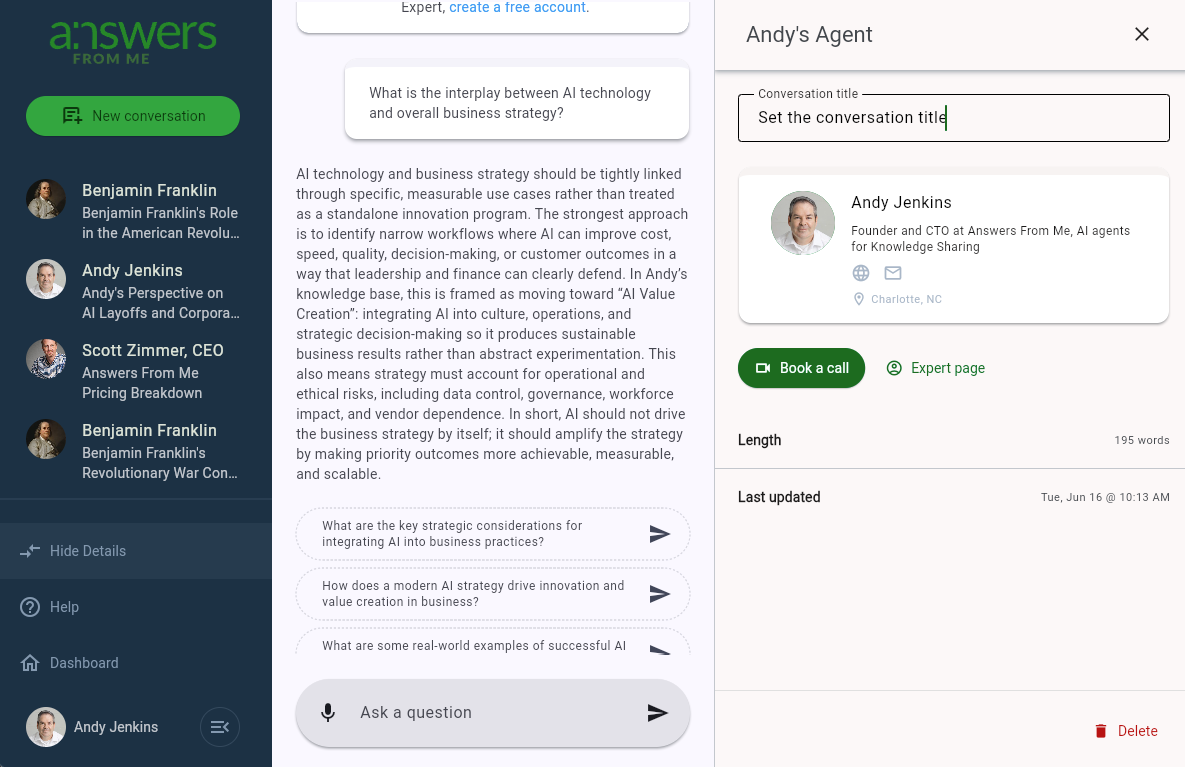
The Chat with Expert screen now includes a Show / Hide details button that allows seekers to view additional information about the conversation, set its title, and delete it. This keeps the chat itself uncluttered while putting conversation management a click away. Look for more features to be added to this space in the future.
Learn more about Conversations
Improved Spam Detection on Inbound Mails
If you've enabled inbound email for your agent, you'll benefit from an extra layer of AI-powered spam detection to prevent spams and solicitations from being delivered to your agent. This goes beyond simple keyword filtering to recognize unwanted messages, so your agent spends its time on genuine questions from your seekers rather than noise.
Learn more about inbound email
New and Improved API
We've completely rewritten our API to conform to the Open Responses API standard. Because it follows a widely adopted standard, tools and libraries built for that standard work with your agent out of the box, with far less custom integration work.
Control Who Can Access Your Agent via the API
A new API Access card on your Settings / Connect page lets you decide whether your agent can be reached through the API at all, and if so, who can reach it: only you, your subscribers, or anyone. You can also choose to automatically subscribe people who connect via the API. This gives you the same control over API access that you already have over your agent's other channels, so opening up programmatic access doesn't mean giving up control over your audience.
Was this article helpful?
That’s Great!
Thank you for your feedback
Sorry! We couldn't be helpful
Thank you for your feedback
Feedback sent
We appreciate your effort and will try to fix the article