So you're ready to turn your Knowledge Hub into a paid agent. This article walks you through what to expect — from requesting monetization, to going live, to running it day-to-day — so you can launch with confidence.
If you're looking for the configuration details (pricing fields, trial settings, what seekers see at checkout), see Paid Agents and Monetizing Your Expertise. This article picks up where that one leaves off.
Before You Begin
You don't need a finished, polished knowledge base to monetize. You just need enough content for your agent to deliver real value on day one — and a willingness to keep building it as questions come in from your seekers.
A good readiness check:
- Your Knowledge Hub has content covering the topics your audience cares about most.
- You've spent some time asking your own agent questions and reviewing the answers for tone, accuracy, and voice.
- You have a sense of how you'll describe the value of your agent to your audience.
If that sounds like you, you're ready to start the monetization conversation with AFM.
Step 1: Request Monetization
Monetization is enabled by Answers From Me on a per-Expert basis and needs the Pro plan. To start the process, configure your pricing in the Agent monetization sheet on the Agent tab of your Expert Dashboard Settings (see Paid Agents and Monetizing Your Expertise for the configuration walkthrough).
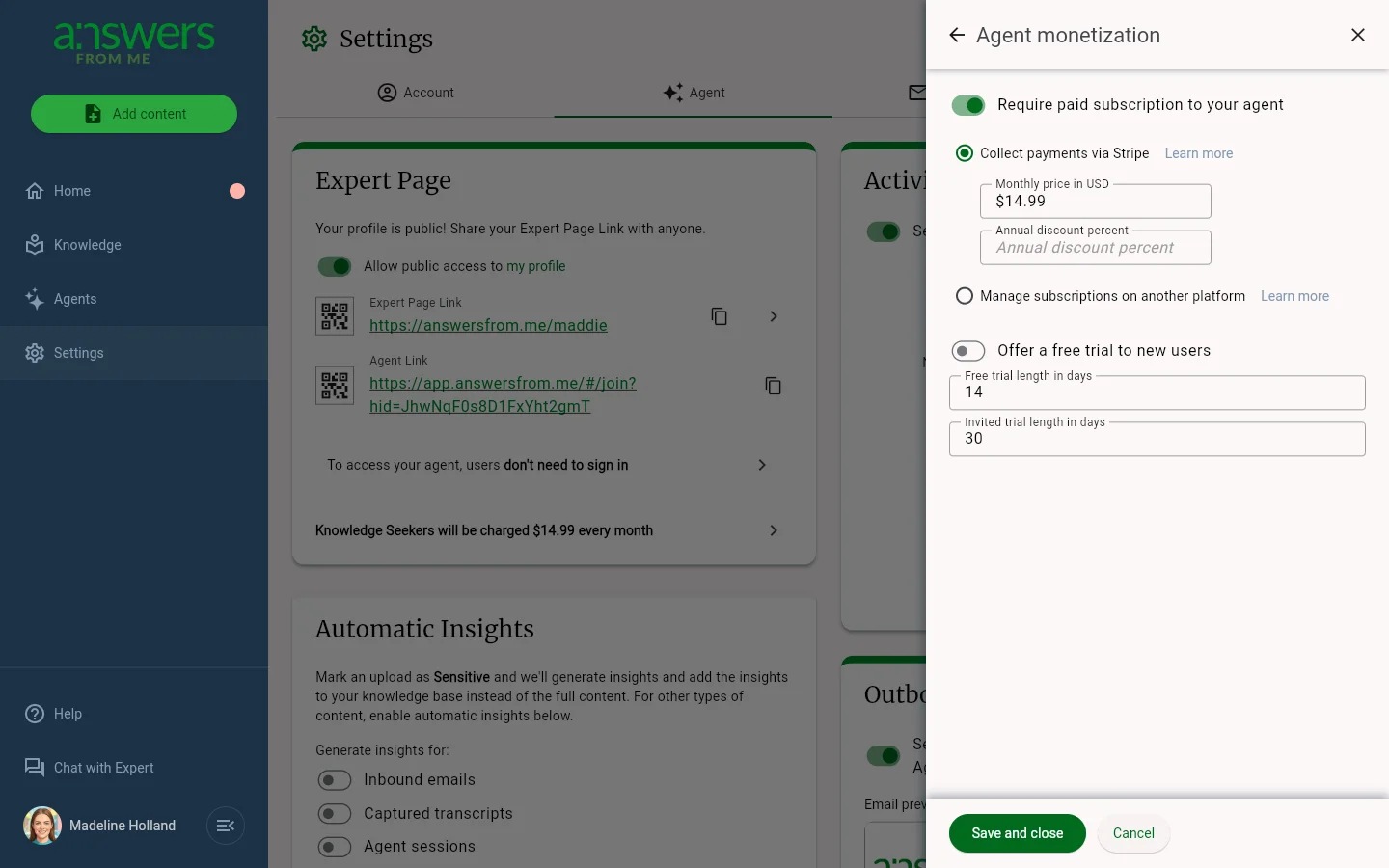 Saving your settings flags your account for review by the AFM team.
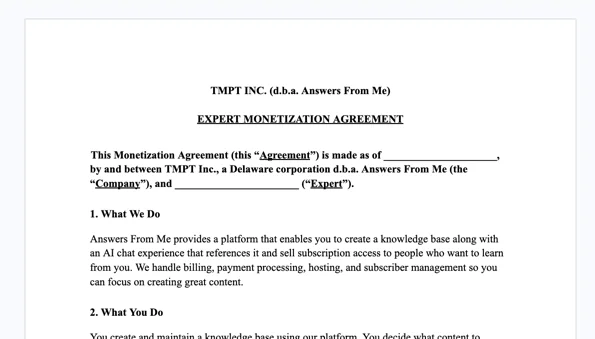
Step 2: Sign Your Monetization Agreement
Once your settings are submitted, AFM will send you a Monetization Agreement for signature. This is the document that governs your paid agent — it covers the revenue share, payout timing and thresholds, refund handling, and the other commercial details specific to your account.
Take the time to read it carefully. Any questions about how money flows, when you get paid, or how disputes are handled are answered in this agreement, so it's worth a careful review before signing.
Your paid agent will not go live until the agreement is signed and countersigned by AFM.
!
Step 3: AFM Enables Your Paid Agent
After your Monetization Agreement is fully executed, AFM will switch your agent into paid mode. You'll receive a confirmation when monetization is live.
From this point forward, new seekers visiting your hub will be welcomed into the free trial flow, and existing free seekers will be transitioned according to the terms of your agreement.
The minimum subscription price on the platform is $0.99 per month. Beyond that, you control your monthly price, your annual discount, and your trial length from the Agent monetization sheet — and you can adjust those over time as you learn what works for your audience.
What Happens When a Seeker Subscribes
The seeker journey is fully automated. You don't need to do anything to grant access or process payments.
- The seeker arrives at your paid agent and starts a free trial (no credit card required).
- When the trial ends, they see your subscription options.
- They complete checkout on a secure Stripe-hosted page.
- They are automatically added to your Hub with full access to your agent.
- You receive an email notification that a new subscriber has joined.
Payment processing runs through AFM's Stripe account, so you don't need to set up Stripe yourself or manage any payment infrastructure.
Running Your Paid Agent Day-to-Day
Once you're live, your job shifts from setup to stewardship. Here's what that looks like.
Keep Building Your Knowledge Base
The single biggest driver of subscriber retention is whether your agent answers the questions your audience actually asks. Use the questions coming in from seekers as a roadmap — when you see a question your agent doesn't yet answer well, that's a signal to add content.
For more on adding and managing content, see Add Content to your Knowledge Hub.
Review Answers and Refine
Use your Expert Dashboard to review answers your agent has given. Refining answers when you see opportunities for improvement is one of the highest-leverage things you can do — it improves quality for every future seeker who asks something similar.
Let AFM Handle Support and Refunds
If a seeker has a billing issue, a refund request, or a problem with their subscription, AFM support handles it. Refunds themselves are processed through Stripe under the terms set out in your Monetization Agreement.
You're welcome to forward any subscriber inquiries to AFM support — your time is best spent on your content and your community, not on payment troubleshooting.
Watch the Signals That Matter
Pay attention to:
- Which questions are being asked most often — these reveal what your audience values.
- Which answers seekers give negative feedback on — these are your highest-priority content gaps.
- How often subscribers come back — engagement is the leading indicator of retention.
Adjusting Pricing or Trial Settings After Launch
You can update your monthly price, annual discount, and trial length at any time from the Agent monetization sheet. Significant changes may require a brief AFM review before taking effect for new subscribers. Existing subscribers continue at the price they signed up for unless and until their plan is changed.
Questions?
Anything specific to your account — revenue share, payout timing, payment processing fees, refund policy details — is governed by your Monetization Agreement. If you can't find an answer there, reach out to AFM support and we'll help.
Was this article helpful?
That’s Great!
Thank you for your feedback
Sorry! We couldn't be helpful
Thank you for your feedback
Feedback sent
We appreciate your effort and will try to fix the article